The Suitcase
The Digital Nomad Tech Packing List
Last updated · 8 min read
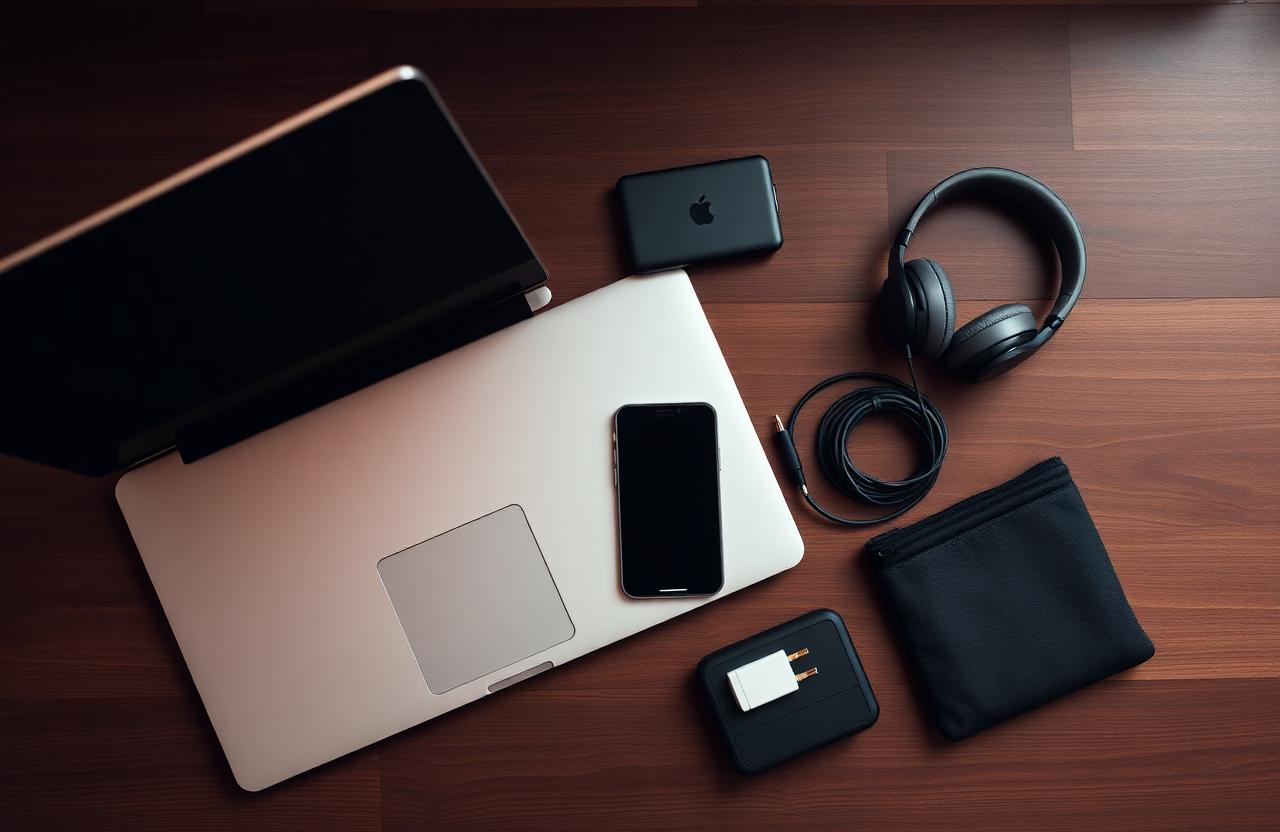
Tech is where most digital nomads over-pack. Not in terms of weight — the individual items are light — but in terms of redundancy and hypothetical use cases. The "just in case" thinking that produces an overstuffed electronics pouch is worth examining carefully, because most of what's in there isn't getting used.
Here's a practical tech packing framework built around what actually gets used on long-term trips, not what it feels reassuring to have.
The non-negotiables
These are the things that actually run your mobile working life and should be given the best equipment budget you have:
Laptop. Your primary work tool. The choice here matters more than almost anything else you pack. A few criteria specific to travel: weight under 1.5kg if possible, battery life of at least 8-10 hours of real-world use, and a screen that's visible in different lighting conditions including outdoor settings. The MacBook Air M-series sits at the top of this category for most use cases — battery life, weight, and build quality are hard to beat. Windows alternatives in the same weight class from Lenovo (ThinkPad X1) and Dell (XPS 13) are competitive. Don't cheap out on the laptop if you're going to be working from it 8 hours a day.
Phone. Navigation, communication, banking, 2FA, camera — your phone is running more of your life when you travel than when you're at home. Make sure it's unlocked before you leave (allowing you to use local or eSIM data), and that you have a backup method for accessing 2FA codes if your connection fails.
Noise-cancelling headphones. One pair. Over-ear for the best noise cancellation on flights. If you're carrying space for one semi-luxury item, this is it — the productivity and sleep quality difference on long-haul flights is significant. Alternatives: good in-ear noise cancelling (AirPods Pro, Sony WF-1000XM5) if weight is the priority.
Power bank. Something in the 10,000-20,000 mAh range that can charge your laptop via USB-C. The laptop charging capability is the key feature — a power bank that can only charge phones is useful but incomplete for a working traveler who might be without a plug for six or more hours.
Universal travel adapter. One that covers the major plug types (EU/UK/US/AU) and ideally includes USB-A and USB-C ports built in. You'll use this every day.
Cables and charging: the minimalist approach
The instinct is to pack one cable for everything. The reality is that you need:
- USB-C to USB-C cable (laptop, power bank, modern devices)
- Lightning or USB-C cable for phone (depending on model)
- One backup of each
That's it. Anything else is either redundant or covering a scenario so specific it doesn't justify the weight.
Keep cables organized in a small, clear pouch. The tangle problem is real and a flat organizer solves it without adding meaningful volume.
Data and connectivity
This is the category where the landscape has changed most significantly in the last few years, and where the right setup makes a meaningful difference to daily working life.
eSIM for primary data. Physical SIM swapping — finding a carrier shop, waiting, explaining what you need in a language you don't speak, potentially voiding your phone's setup — is becoming optional. Airalo offers eSIMs for over 190 countries that you buy and activate before you leave. Regional plans covering multiple countries simultaneously are available for travelers who move frequently. Activation takes five minutes on your phone, and you land with working data.
For comparison, Saily (from the NordVPN team) offers eSIM plans with strong coverage in the Americas and Europe, often at competitive rates for regional travel. Worth checking both platforms before committing to a data plan for a specific destination.
VPN for security on public networks. Coworking spaces, cafés, hotel networks — these are the environments a digital nomad works from, and they're all unsecured public networks. NordVPN is the standard recommendation for a reason: it's fast enough not to noticeably slow your connection, runs reliably across operating systems, and handles the secondary use case of accessing geo-restricted content (home country streaming, banking systems that flag foreign IPs) without additional setup.
What most people pack but don't actually use
A dedicated camera. Phone cameras have crossed the threshold where the quality advantage of a dedicated camera is meaningful only for photography-specific trips. If you're not a photographer, your phone is sufficient. If you are, a mirrorless camera makes more sense than a point-and-shoot, but that's a serious gear commitment rather than a travel accessory.
A tablet. For most people, a tablet is a laptop that's less capable and a phone that's too large. There are specific use cases where it earns its place (long-haul drawing, digital note-taking with a stylus, children's entertainment). If none of those describe you, leave it.
A dedicated e-reader. Personal preference plays here, but a Kindle at 170 grams and with weeks of battery life is one of the few devices that arguably earns its weight as a dedicated unit rather than using a phone app.
A laptop stand and portable keyboard. For extended stays in one location, these make ergonomic sense. For frequent movement, they add weight and complexity. The middle path: a packable laptop stand (the Nexstand or similar folds flat), skip the external keyboard unless your laptop's keyboard is specifically problematic.
Security and backup
This is the category most people don't think about until something goes wrong.
Cloud backup. Your most important documents — passport photos, work files, project backups — should be in cloud storage you can access from any device. This is insurance against the scenario where your laptop is lost or stolen. Two different cloud services (one for documents, one for photos) is not excessive.
Password manager. Traveling involves logging into accounts on unfamiliar networks and devices. A password manager handles this securely, means you don't reuse passwords, and makes the inevitable "I need to log in on this device I've never used before" situation manageable.
Physical card holder, not a wallet. A slim card holder with RFID protection for your cards and ID. Easier to tuck away, harder to lose, and the RFID protection covers the improbable but real risk of contactless skimming in crowded transit environments.
And the boring-but-important counterpart to cloud backup: an insurance policy that actually covers your gear. If the laptop is the job, replacement cost matters.
The total setup in practice
A well-curated digital nomad tech kit — laptop, phone, headphones, power bank, adapter, cables, small accessories — should fit in a dedicated tech pouch or laptop bag with space to spare. If it doesn't, something in there isn't earning its weight.
The rule: if you haven't opened it in three days of active travel, examine whether it needed to come. The answer is usually no.
Keep exploring
Pair this with the carry-on packing list and travel SIM vs eSIM, explained.
Tools & links from this story
Some links are affiliate. They cost you nothing and keep this site running.
- Airalo — eSIM for 190+ countries →Primary data layer for the whole trip, no SIM swaps.
- NordVPN — secure work on any network →Café, coworking, hotel — assume nothing is private.
- EKTA — gear & medical insurance →Useful when the laptop is the entire job.
- Kiwi.com — flights for carry-on-only kits →A lean tech kit usually fits inside any bag policy.
Written by
Meric Erdinc · Founder, 1-Minute Nomad
Meric has spent the last six years moving around Southeast Asia and beyond, with a laptop, a rotating set of Wi-Fi passwords, and an opinion on every co-working space he’s ever stepped into. Rooted in Istanbul, currently working out of Bangkok — though the next flight is usually already booked. He started 1-Minute Nomad for people like him: nomads who don’t have time to read forty Reddit threads to figure out a city. Every guide here comes from a place he’s actually lived, worked or months of on-the-ground research.
Subscribe
Get the next dispatch
One email when a new city guide drops. No spam, no daily noise.